Managing products
Learn how to manage products through their lifecycle using Products, Product Page, and Product Editor—from quick bulk updates to detailed configuration.
Products
https://app.amaspace.co/products The Products section is the central place where you manage your entire catalog. Here you create, organize, update, duplicate, and remove products as your catalog evolves.
You can work with individual items or perform bulk actions when managing a large number of products.
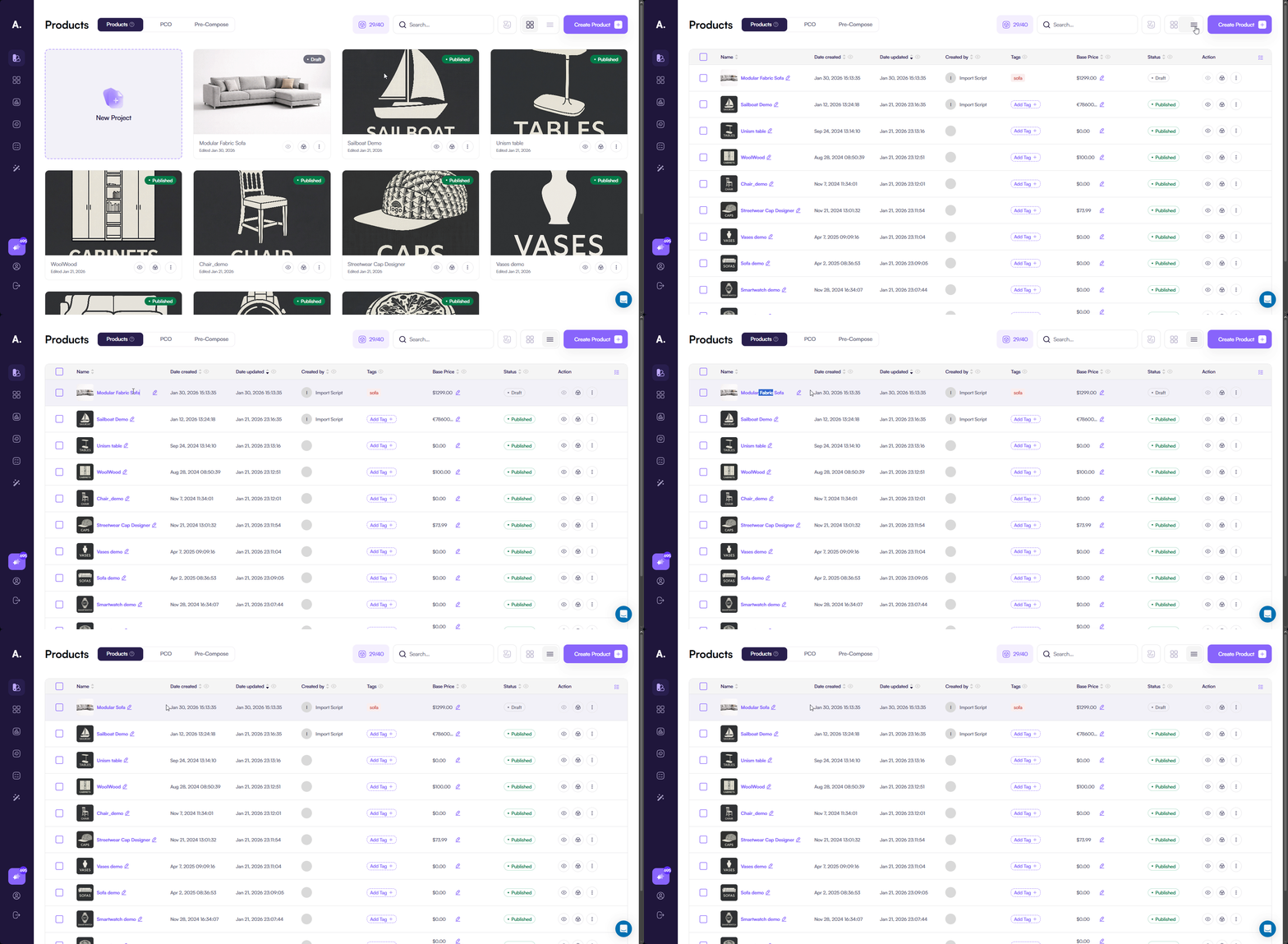
View and browse products
You can switch between two view modes:
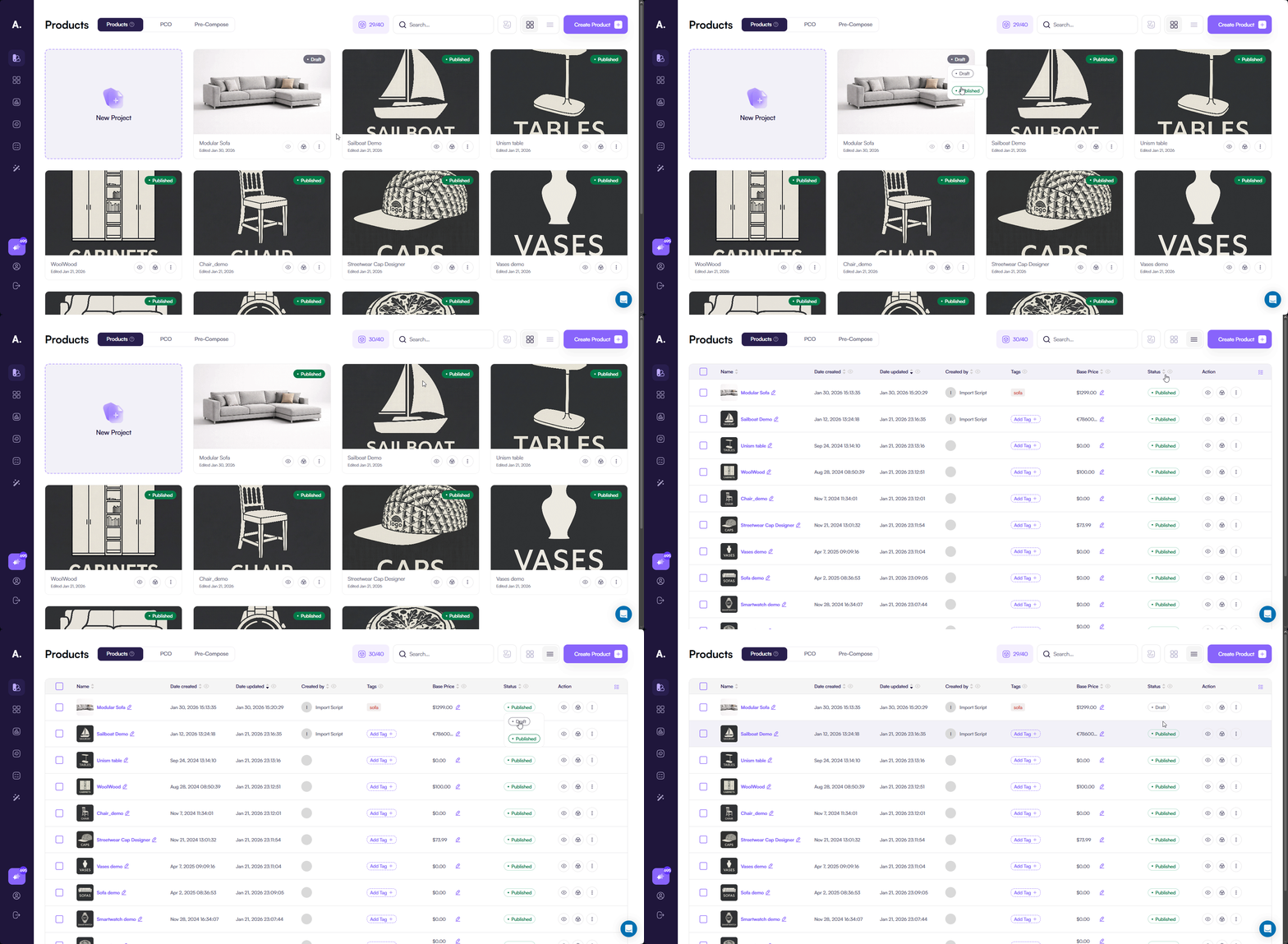
- Grid view — a visual overview of products, useful for quick browsing
- Table view — a structured layout for precise management
In table view, key fields are editable directly inside the table. This lets you make quick changes without opening the full editor.
Edit existing products
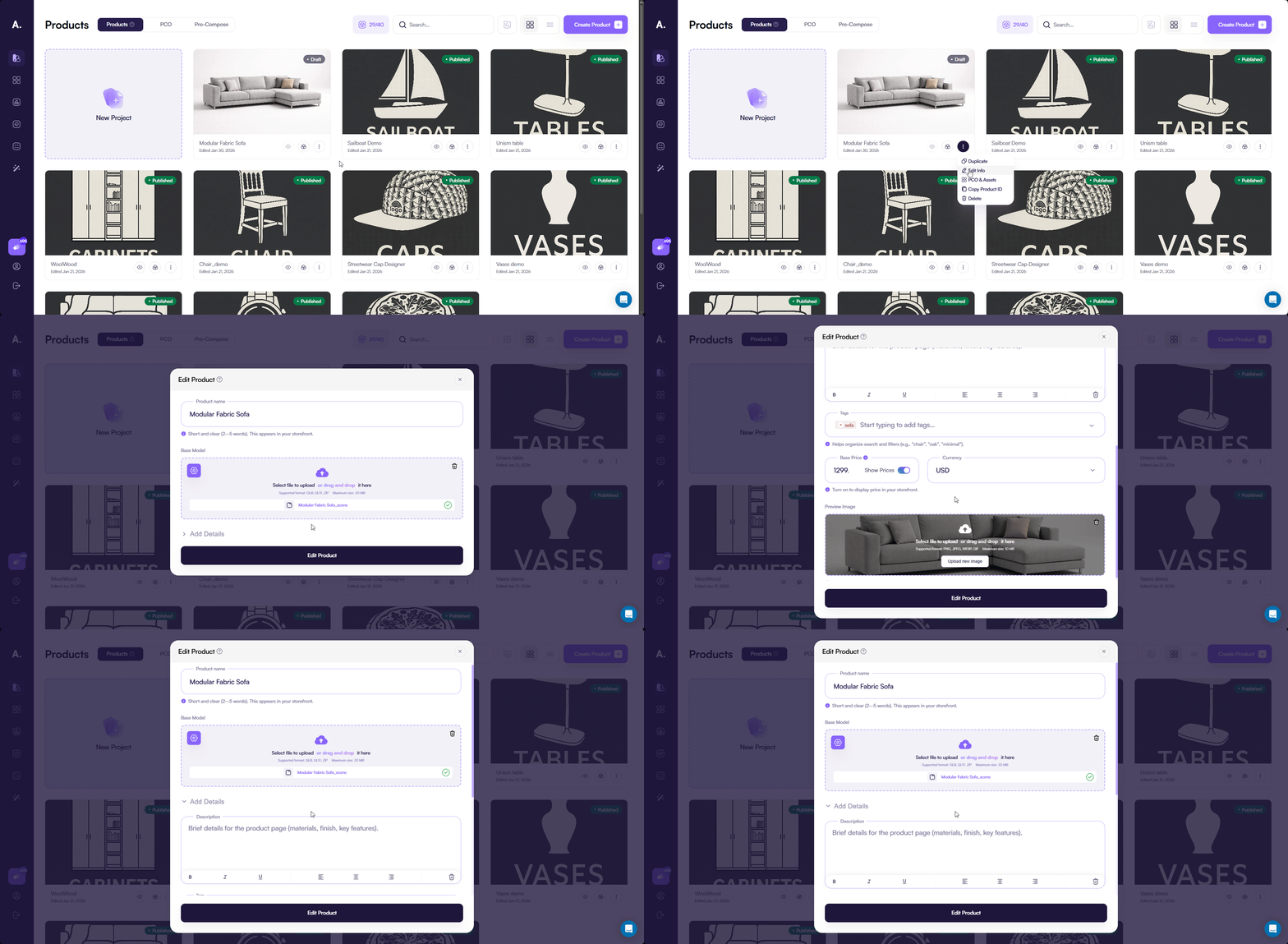
From both view modes, you can open the product editor using the Edit action. This opens the same form used during product creation.
The only difference is Model Source. You cannot change the source after creation. Instead, you manage the uploaded model:
- Replace the model
- Update model settings
- Remove the model if needed
For full details about the creation form, see:
👉 See Create a product to learn more about the product creation form.
Clone products
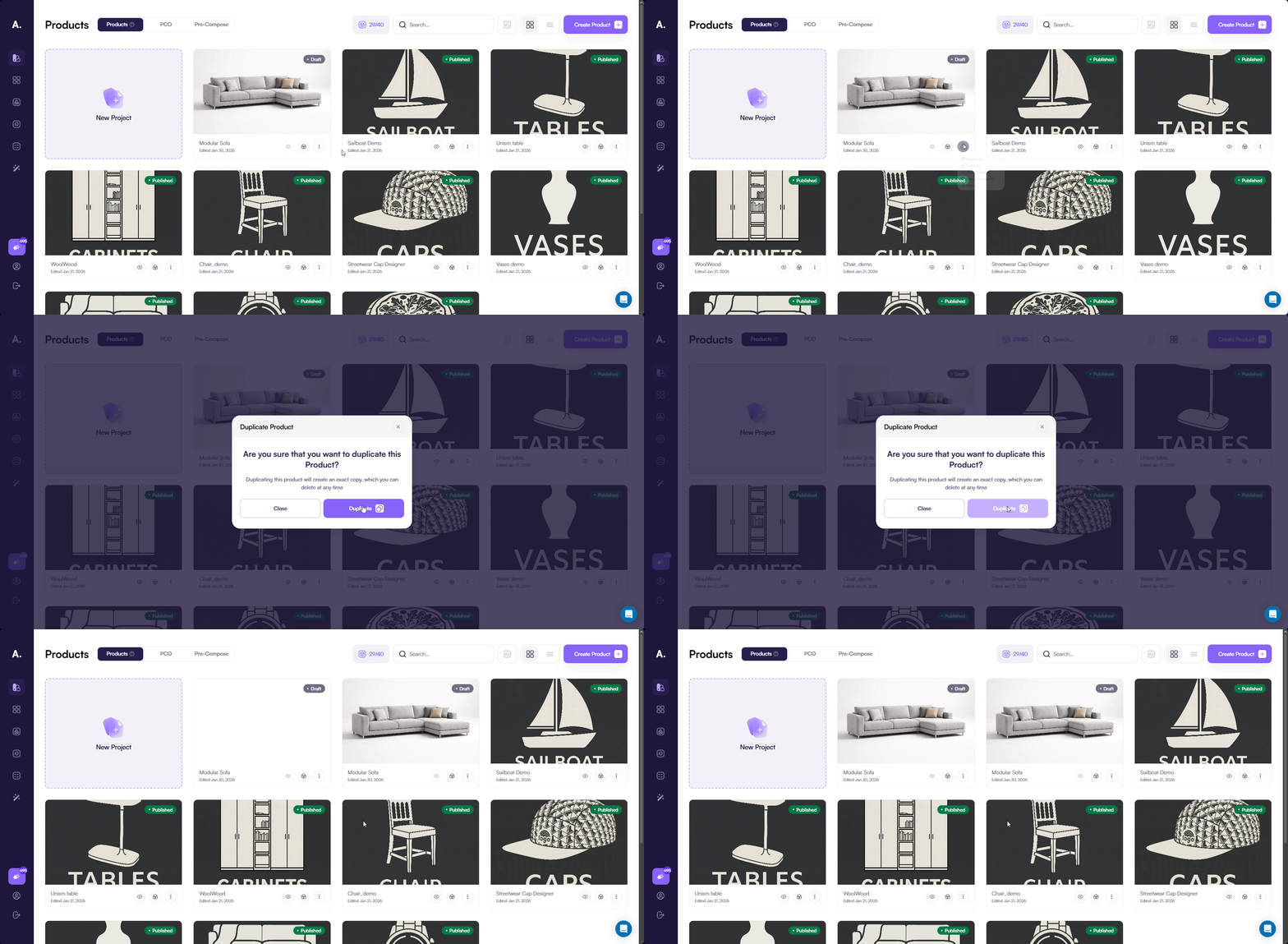
You can clone a product to create a complete copy. The cloned product includes:
- All base product fields
- Uploaded models
- Existing configuration
You can clone:
- A single product
- Multiple products at once (table view)
Delete products
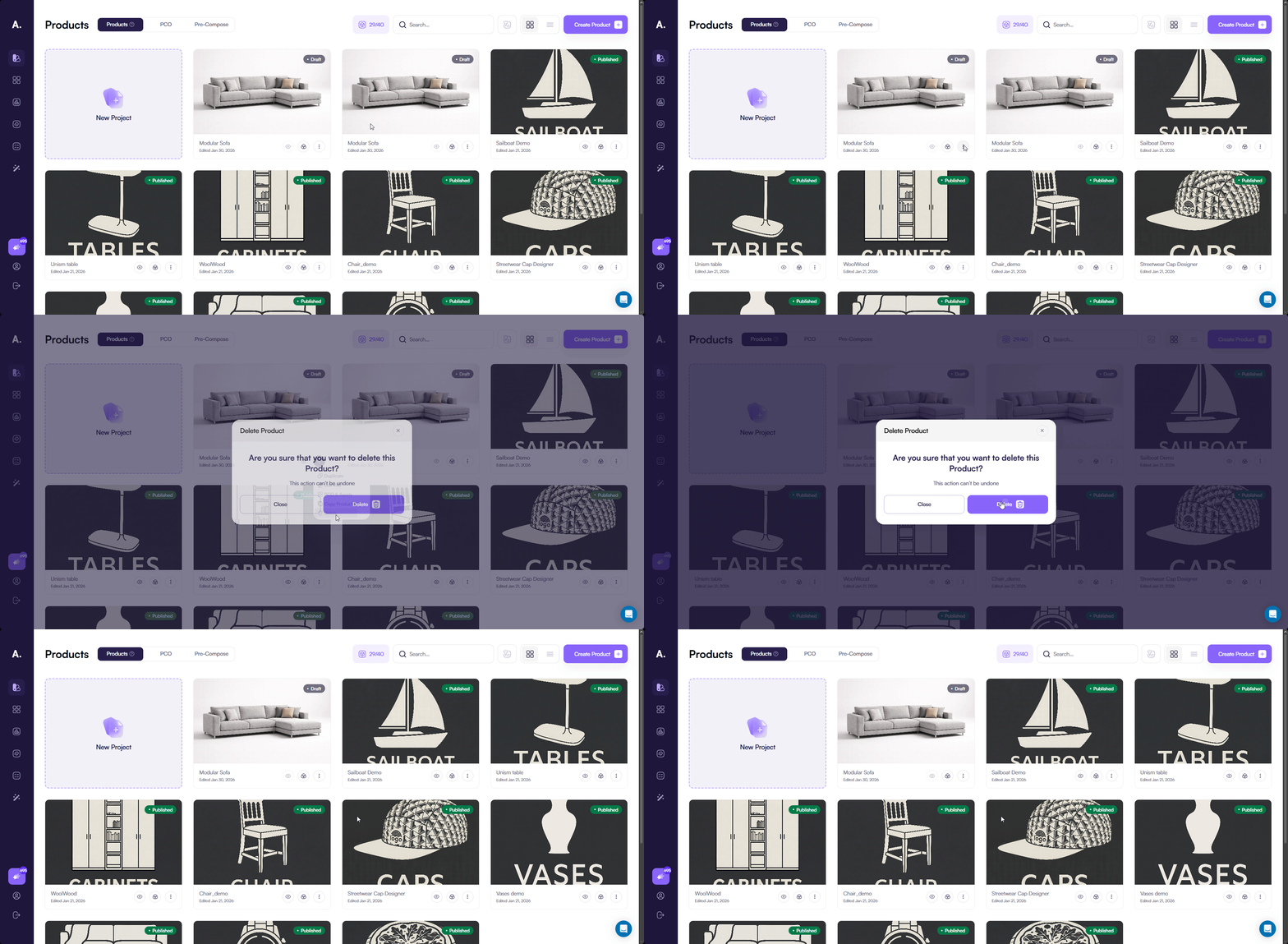
You can delete products you no longer need.
Deletion supports:
- Single product removal
- Bulk deletion (table view)
After deletion, the product is permanently removed and cannot be restored.
Product status and visibility
Each product has a status that controls whether it is available to users and integrations. You can change the product status directly from the Products page without opening the editor.
Available statuses
A product can have one of the following statuses:
- Published — the product is active and available
- Draft — the product is inactive and hidden
How status affects availability
When a product is Published, the configurator is accessible:
- On the Amaspace hosted product page
- When embedded via embed code
- In all integrations, including:
- Shopify
- WooCommerce
- Webhooks and other external connections
When a product is set to Draft, the configurator does not load. Instead, a corresponding error is shown. This behavior is consistent across hosting, embeds, and all integrations.

Limits on published products
Your subscription plan may limit the number of products that can be active at the same time. Only Published products count toward this limit.
If you reach the limit and try to publish another product, the interface shows a warning and prevents the action until you unpublish an existing product or upgrade your plan.
👉 See Subscriptions to learn more about plan limits.