Visual Effects
Overview
Visual Effects help your scene feel more “alive”: animated water, a gentle floating motion, and a procedural sky.
A good rule: turn on an effect only if you can clearly see the improvement in the first few seconds.
Location
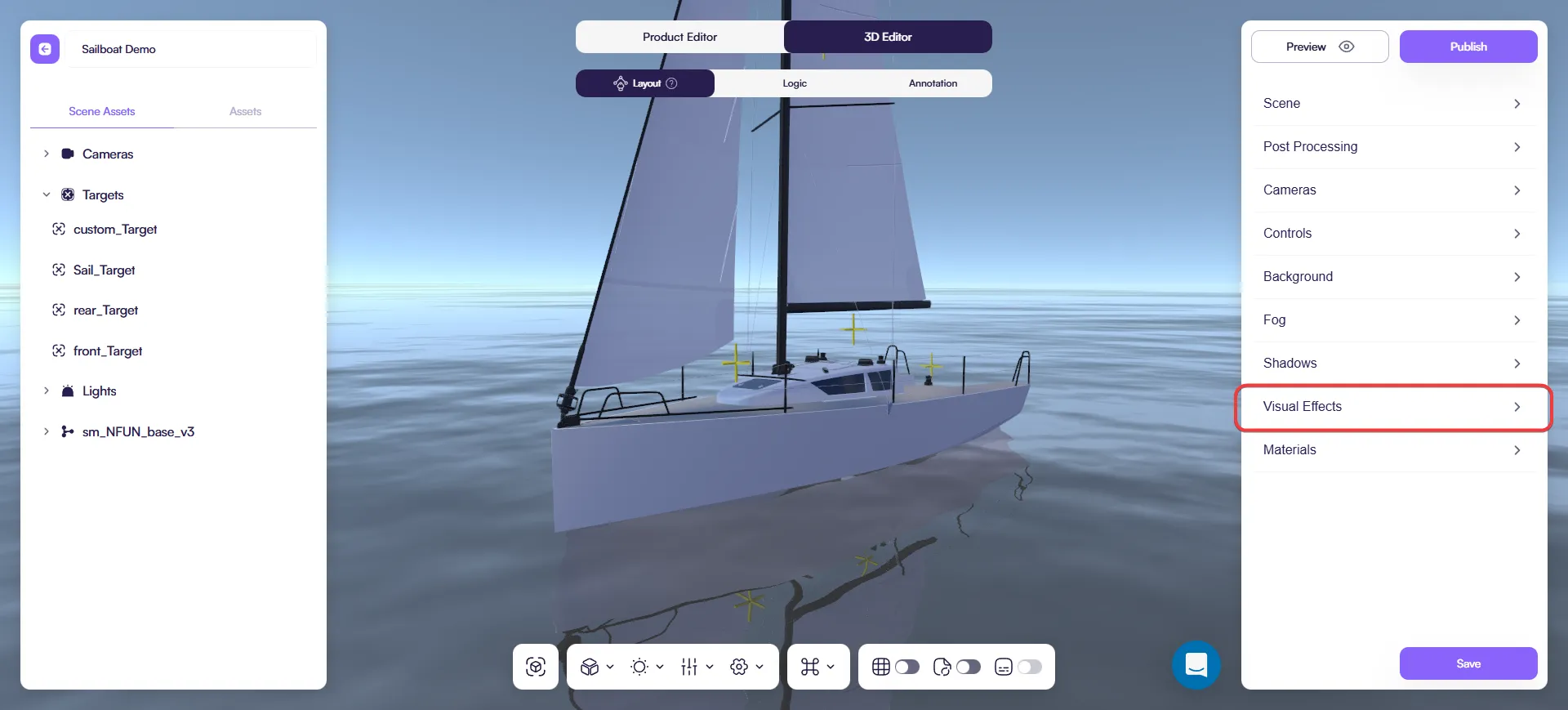
Open 3D Editor → Scene → Visual Effects.
- Pick an option in Effects.
- Turn Enabled on (or use the effect-specific toggle).
When to use
- Water and Float: used only for boat configurators.
- Sky: great when you want an outdoor/daylight mood without setting up an HDRI.
If an effect doesn’t add value, keep it off — a clean scene often looks more premium.
Effect: Water
Adds an animated water surface.
Enable
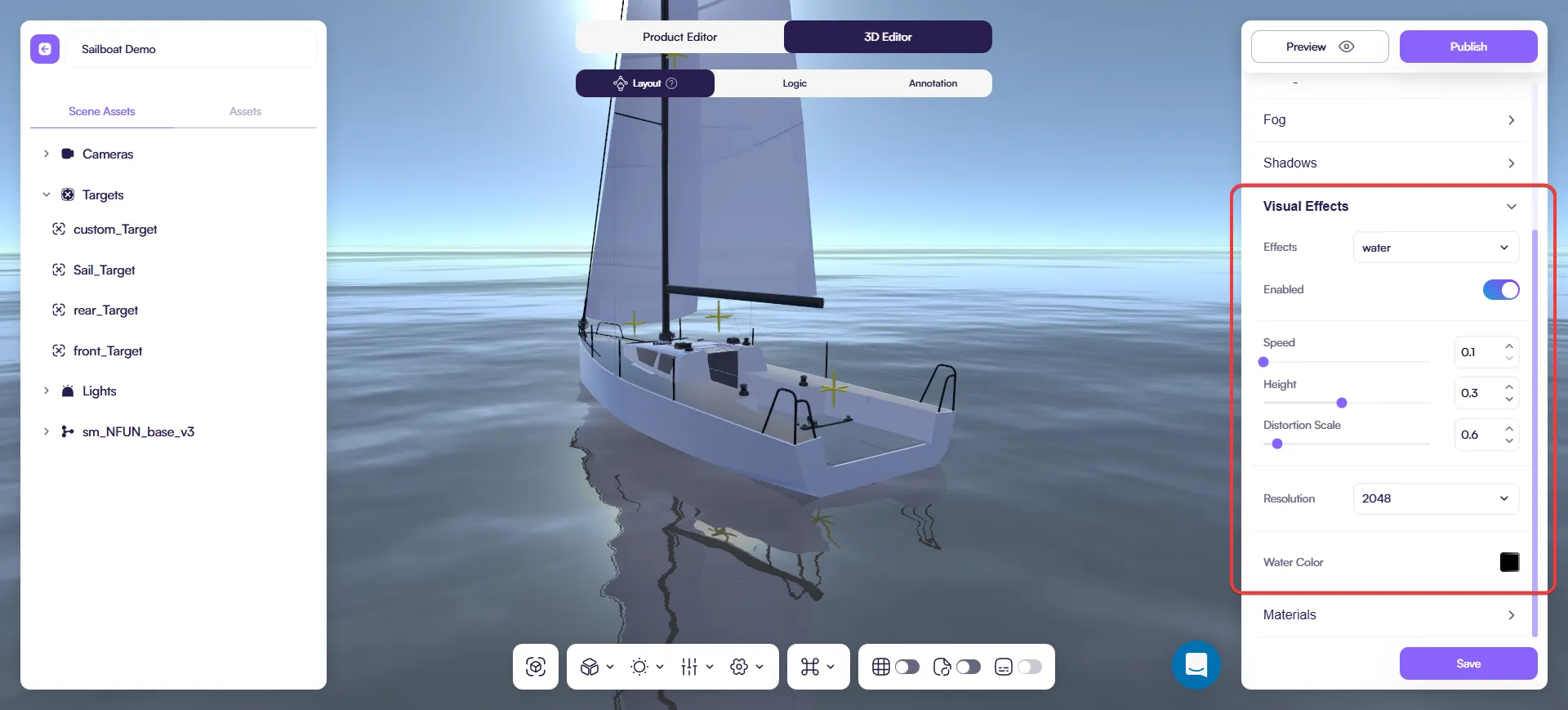
- Select Effects → water.
- Turn Enabled on.
Key settings
- Speed — how fast the water moves.
- Height — the water level.
- Distortion Scale — wave strength.
- Resolution — quality (higher = cleaner, heavier).
- Water Color — base color.
Quick tip: start with Distortion Scale. Small changes here often give the biggest improvement.
Effect: Float
Adds a gentle hover motion.
Enable
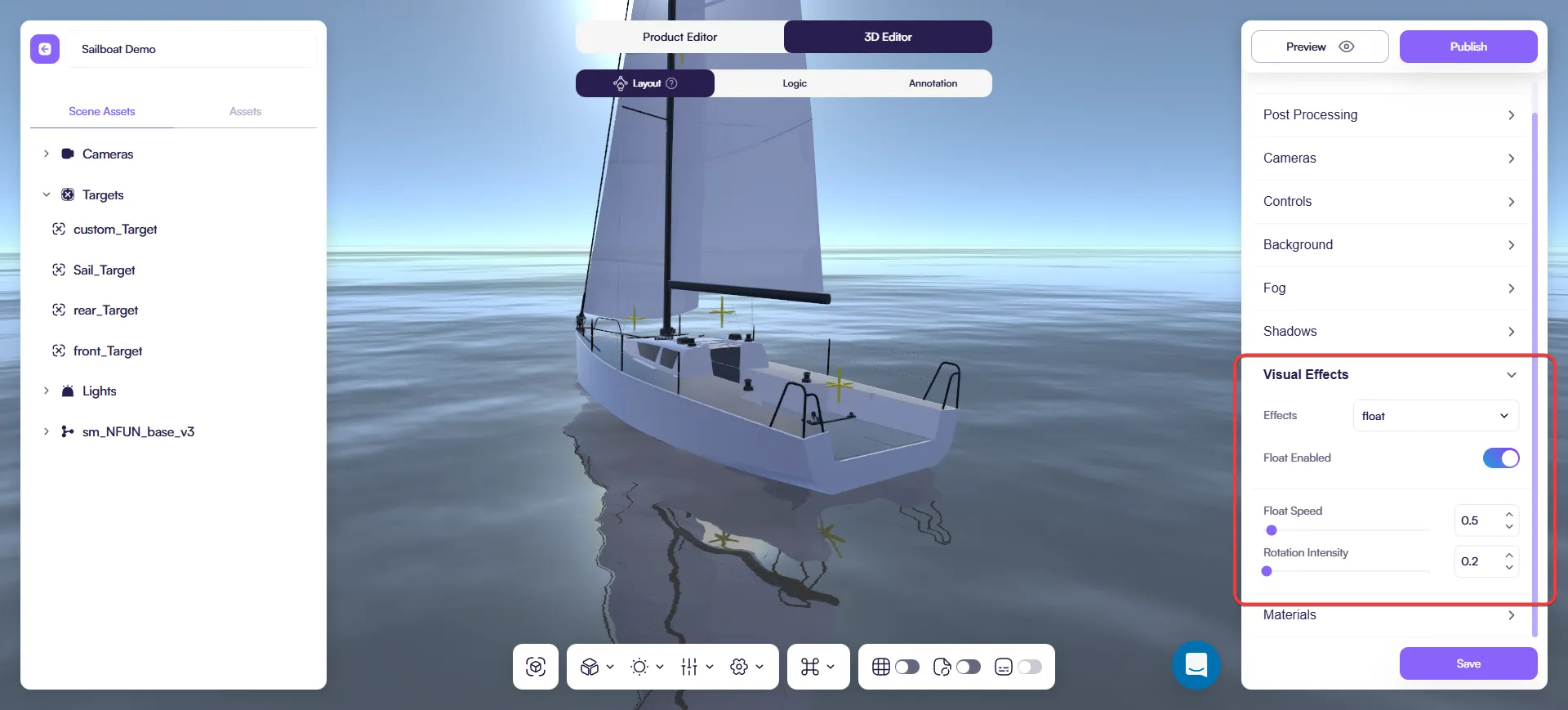
- Select Effects → float.
- Turn Float Enabled on.
Key settings
- Float Speed — motion speed.
- Rotation Intensity — how much rotation is applied.
Tip: subtle motion feels premium. If the product starts looking “toy-like”, lower Rotation Intensity.
Effect: Sky
Adds a procedural sky.
Enable
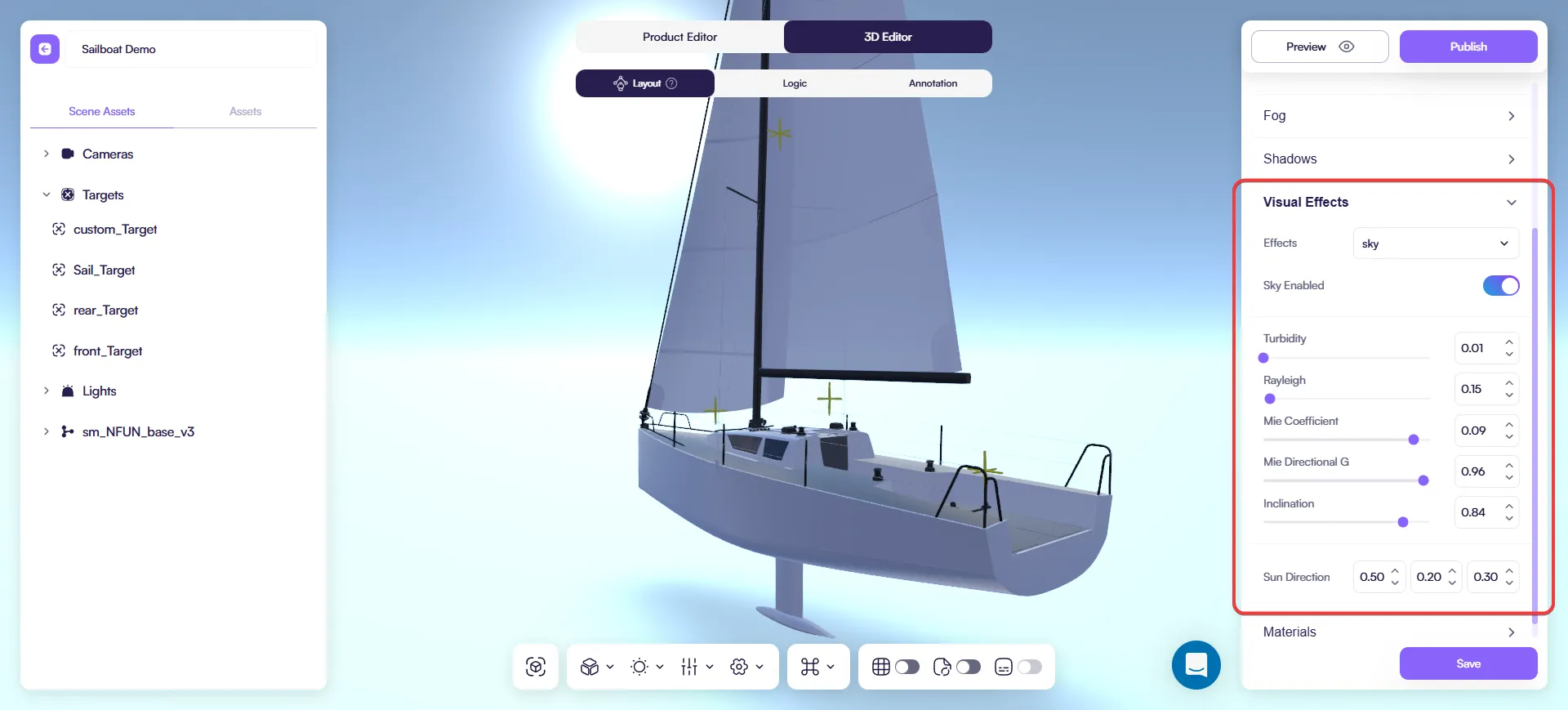
- Select Effects → sky.
- Turn Sky Enabled on.
Key settings
- Turbidity — haze/dust in the air.
- Rayleigh — how blue/clean the sky looks.
- Mie Coefficient — haze strength (affects contrast).
- Mie Directional G — haze concentrated toward the sun.
- Inclination — currently has no effect in Amaspace (use Sun Direction).
- Sun Direction — sun direction values (X/Y/Z).
Quick tip: set the sun with Sun Direction (X/Y/Z), then tweak Turbidity + Rayleigh.
Best practices
- Change one setting at a time.
- For fixing performance issues, start by lowering Resolution (for Water).
- Avoid stacking multiple effects unless you really need them.
- Before publishing, do a quick check on a weaker device profile.
Last updated on