Subscription
This article explains how to manage your Amaspace subscription, including plan options, billing cycles, trial periods, payment methods, and API access through the subscription and API panel tabs in your profile settings
Overview
Subscription lets you control your access to Amaspace features, manage billing, and work with API credentials.
On the subscription page, you review available plans, start or change a subscription, and track your billing history through Stripe. You can choose between monthly and yearly billing and switch plans at any time.
This article also covers the API panel, where you find your public API key and view published products. The API key is required to generate configurator links and integrate Amaspace into external platforms.
Subscription settings
Use this page to manage your subscription, billing, and API access.
All subscription-related settings are available on the profile page. Here you can review your current plan, start or change a subscription, manage payment details, and access the API panel.
-
Subscription page: https://app.amaspace.co/profile?tab=subscription
Trial period (14 days)
Every new account starts with a 14-day trial on the Discovery plan.
The trial gives you access to core Amaspace features so you can explore the platform and test your workflows before choosing a paid plan.
During the trial:
- The Discovery plan is active by default
- You can explore the admin panel and create products within the plan limits
- You can upgrade to a higher plan at any time
You do not need to add a payment method to start the trial.
What happens when the trial ends
When the 14-day trial period ends, your access depends on your payment status.
-
**No payment method added **Access to products and the admin panel becomes restricted until you select a subscription and add a payment method. You can add a card at any time by opening Manage Payment Details on the Subscription page.
-
Payment method added The trial automatically converts to a paid subscription, and the first payment is charged through Stripe.
-
Payment failed If a payment attempt fails, access to the admin panel becomes restricted until the payment issue is resolved.
Manage Payment Details
Use this option to manage your payment method, billing history, and invoices.
On the Subscription tab, click Manage Payment Details to open the Stripe billing portal. This portal securely handles all payment-related actions for your Amaspace account.
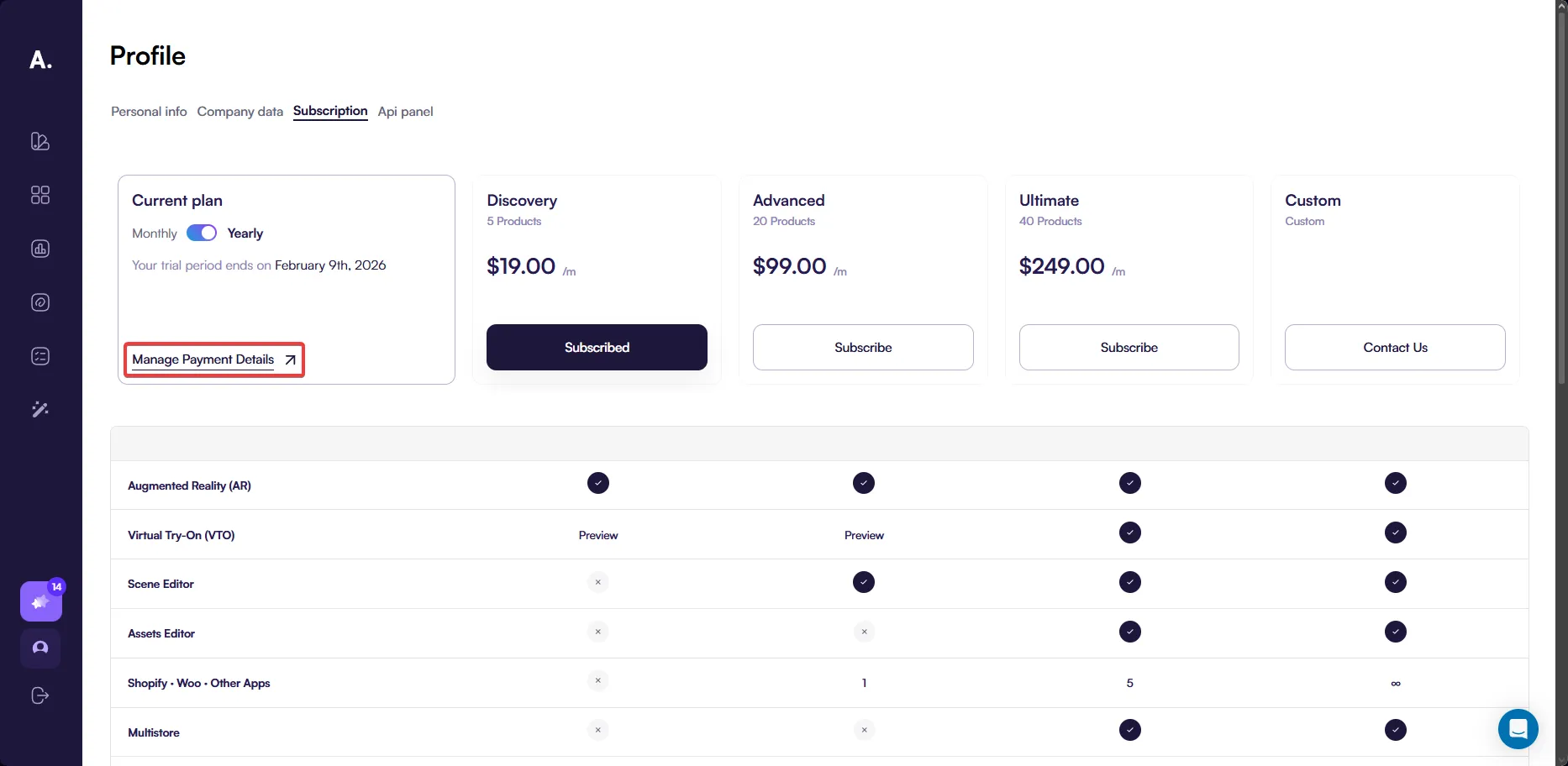
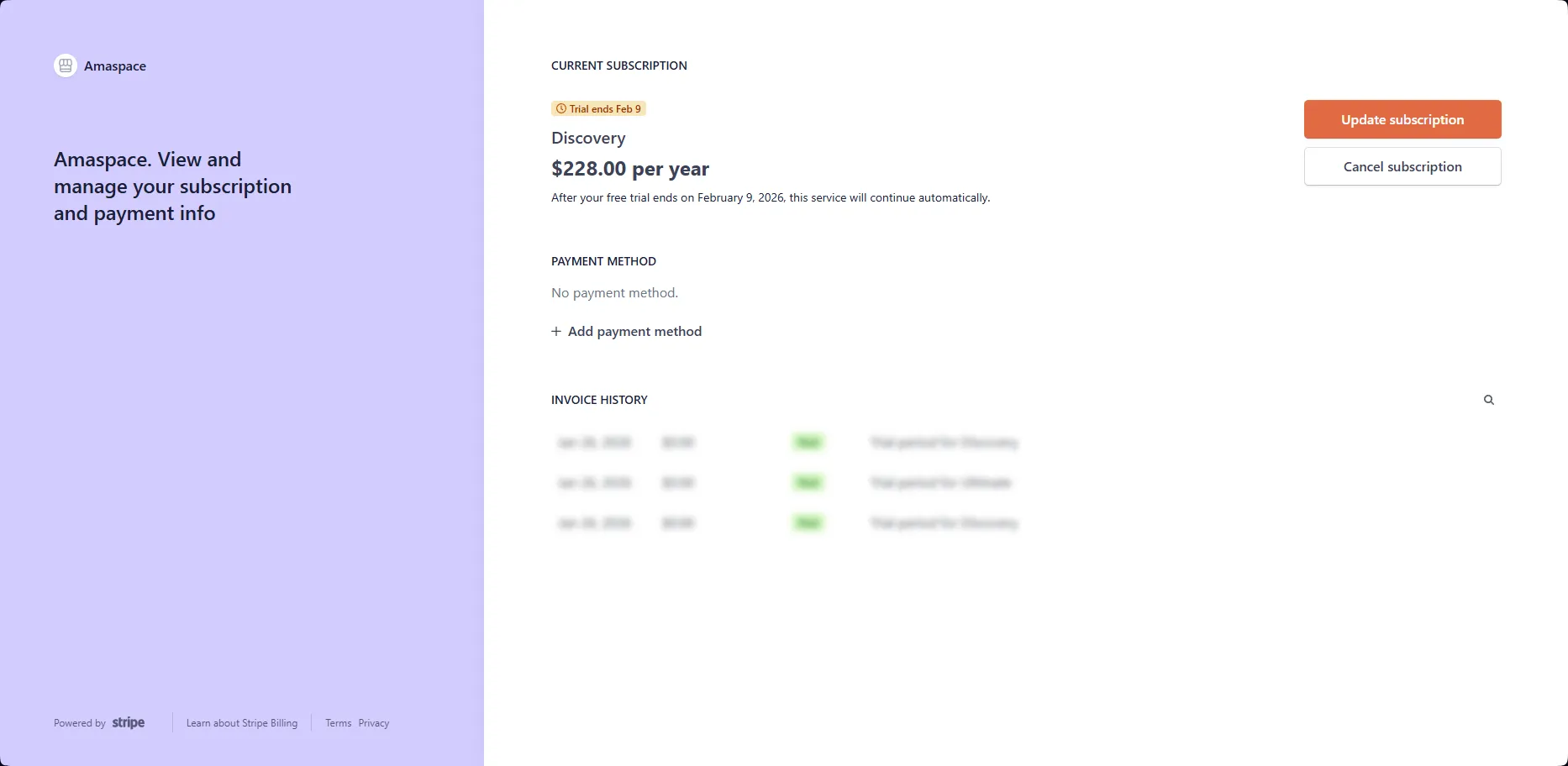
In the Stripe billing portal, you can:
- Add or update a payment method
- View payment history
- Download invoices
- Cancel or update your subscription
Managing subscriptions via Stripe vs Amaspace
You can change or cancel your subscription directly in the Stripe billing portal. However, for the best experience, we recommend managing plan changes inside the Amaspace admin panel.
Why manage subscriptions in Amaspace:
- You see plan limits before switching to a lower plan
- You can adjust products, PCOs, and other limits before confirming the change
- This helps prevent unexpected restrictions after a downgrade
If you downgrade a plan directly in Stripe and exceed the new plan limits, Amaspace automatically applies restrictions to match the selected plan. You can review and adjust these limits later in the admin panel.
Available plans
Amaspace offers four subscription plans designed for different stages of growth. You can switch plans at any time, and all billing is handled securely through Stripe.
Discovery
Discovery is a starting plan for exploring Amaspace and testing core features.
Included:
- Up to 5 published products
- Augmented Reality (AR)
- Virtual Try-On (VTO) preview
- 7 days of analytics
- Up to 10 PCOs per product
- 1,000 AR sessions per month
- 1 seat
- Email support (7-day SLA)
Discovery is active by default during the trial period.
Advanced
Advanced is designed for growing teams that need more configurability and integrations.
Included:
- Up to 20 published products
- AR and VTO preview
- Scene Editor
- Theme Editor
- 1 integration (Shopify, WooCommerce, or other apps)
- 30 days of analytics
- Up to 100 PCOs per product
- 10,000 AR sessions per month
- 1 seat
- Email support (48-hour SLA)
Ultimate
Ultimate unlocks full control over scenes, assets, and advanced customization.
Included:
- Up to 40 published products
- AR and Virtual Try-On
- Scene, Assets, and Lighting Editors
- Theme Editor
- API & SDK access
- Webhooks
- Multistore support
- Up to 5 integrations
- 365 days of analytics
- Unlimited PCOs per product
- 50,000 AR sessions per month
- Up to 10 seats
- Slack support (8-hour SLA)
- Floating UI Widget
Custom
Custom is built for enterprise use cases and advanced workflows.
Included:
- Unlimited published products
- All features unlocked
- Unlimited integrations
- Dealers and channel management
- Custom branding
- Custom domain
- Unlimited analytics
- Unlimited AR sessions
- Unlimited seats
- Dedicated support with a Customer Success Manager (2-hour SLA)
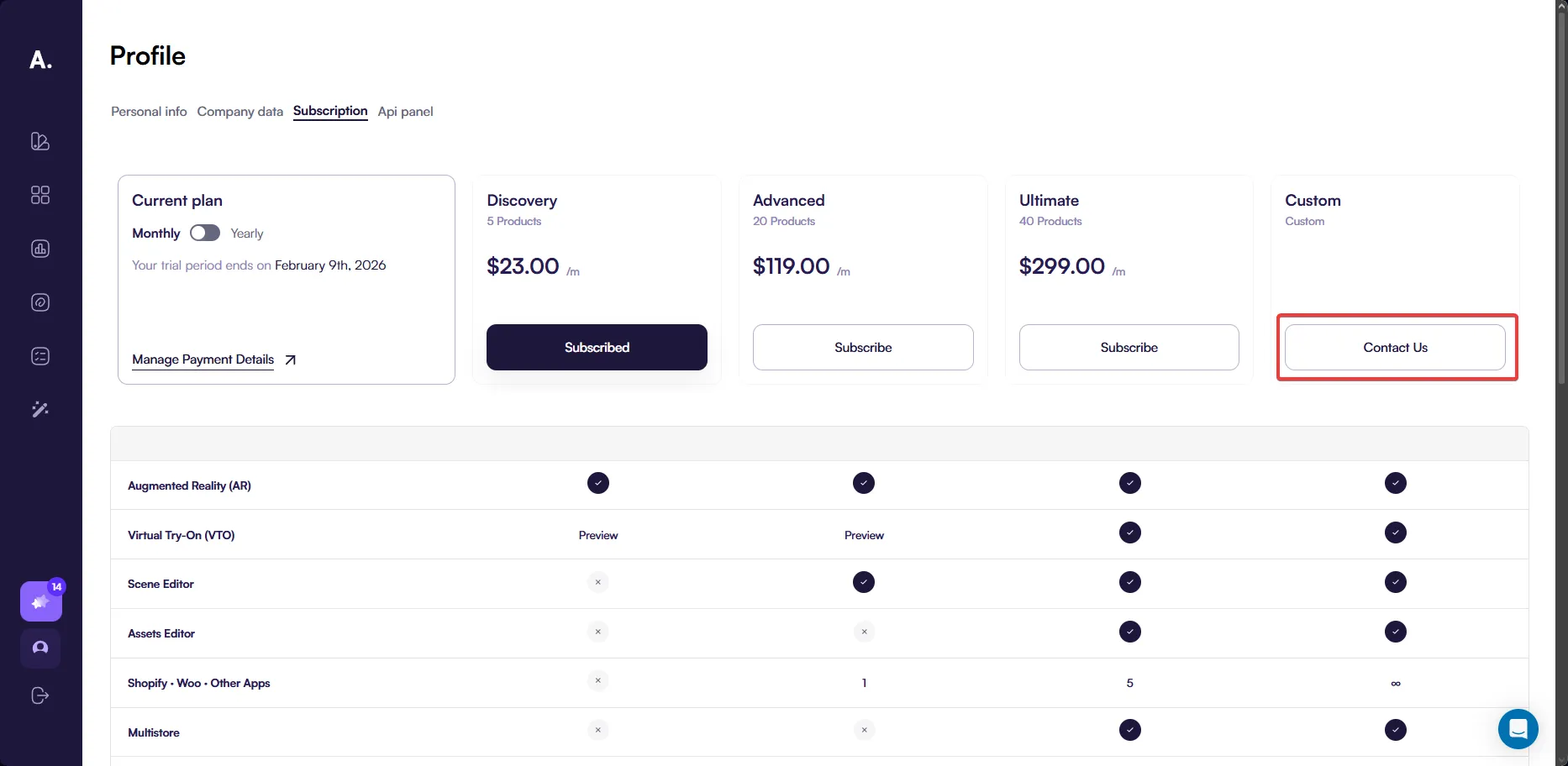
For the Custom plan, click Contact us to discuss pricing and custom requirements.
Plan comparison
Use the table below to compare plans and choose the one that fits your needs.
| Feature | Discovery | Advanced | Ultimate | Custom |
|---|---|---|---|---|
| Augmented Reality (AR) | ✓ | ✓ | ✓ | ✓ |
| Virtual Try-On (VTO) | Preview | Preview | ✓ | ✓ |
| Scene Editor | — | ✓ | ✓ | ✓ |
| Assets Editor | — | — | ✓ | ✓ |
| Shopify · Woo · Other Apps | — | 1 | 5 | ∞ |
| Multistore | — | — | ✓ | ✓ |
| API & SDK | — | — | ✓ | ✓ |
| Webhooks | — | — | ✓ | ✓ |
| Builders & Editors | — | — | Scene, Assets, Lighting Editors | Scene, Assets, Lighting Editors |
| Theme Editor | — | Scene Editor | ✓ | ✓ |
| Dealers & Channel Management | — | — | — | ✓ |
| Floating UI Widget | — | — | ✓ | ✓ |
| Custom Branding | — | Hide watermark | ✓ | ✓ |
| Custom Theme | — | — | — | ✓ |
| Custom Domain | — | — | Add-on | ✓ |
| Analytics | 7 days | 30 days | 365 days | ∞ |
| Published products | 5 | 20 | 40 | ∞ |
| PCOs per product | 10 | 100 | ∞ | ∞ |
| AR sessions / month | 1k | 10k | 50k | ∞ |
| Seats / roles management | 1 | 1 | 10 | ∞ |
| Support SLA | 7d Email | 48h Email | 8h Slack | 2h CSM |
| Transaction fees | 0% | 0% | 0% | 0% |
Monthly vs yearly billing
You can choose between monthly and yearly billing for Discovery, Advanced, and Ultimate. Yearly billing lowers the effective monthly price.
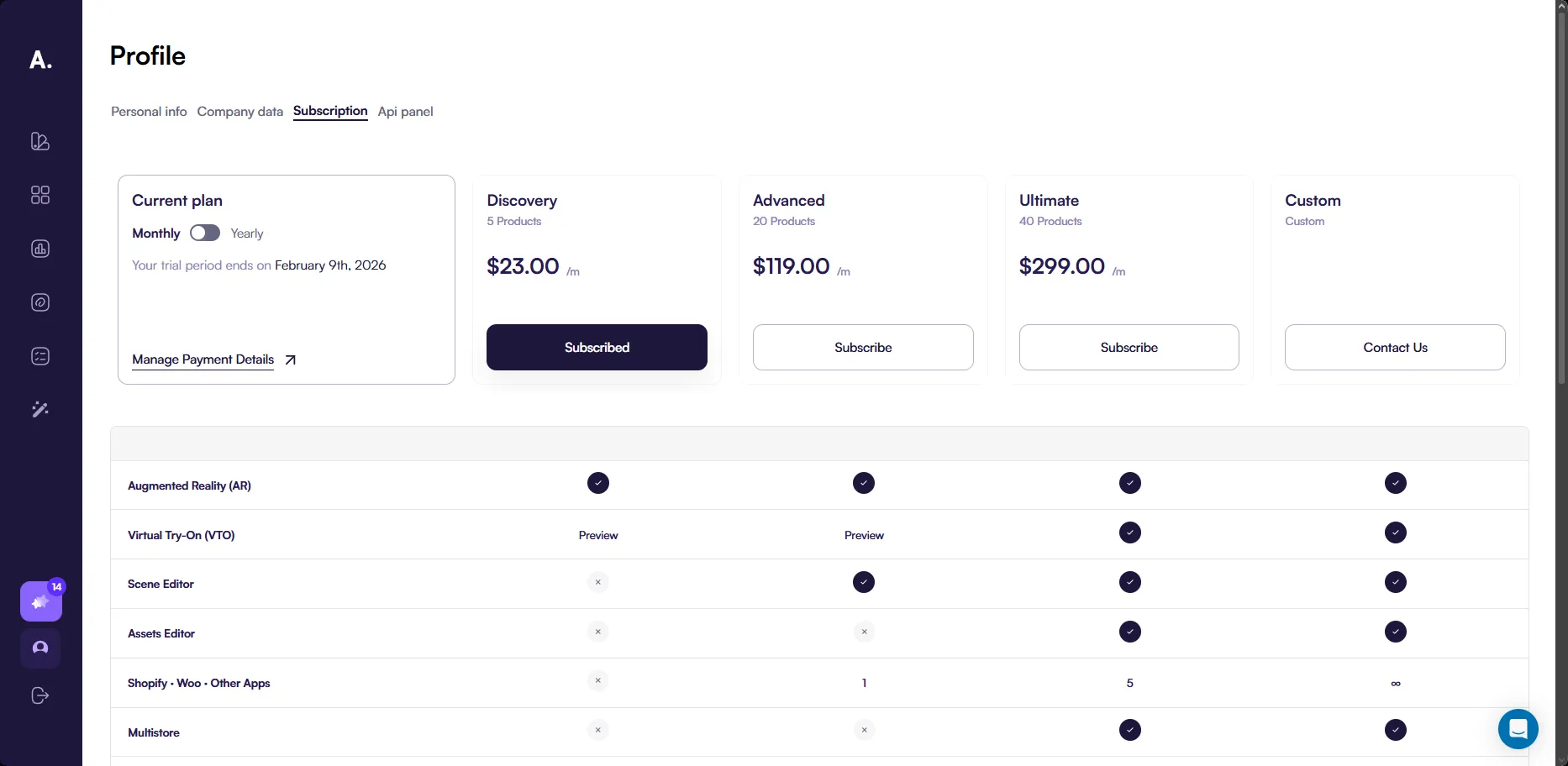
Monthly billing
Choose monthly billing if you want flexibility and the ability to change plans more frequently.
- Discovery: $23/month
- Advanced: $119/month
- Ultimate: $299/month
Yearly billing
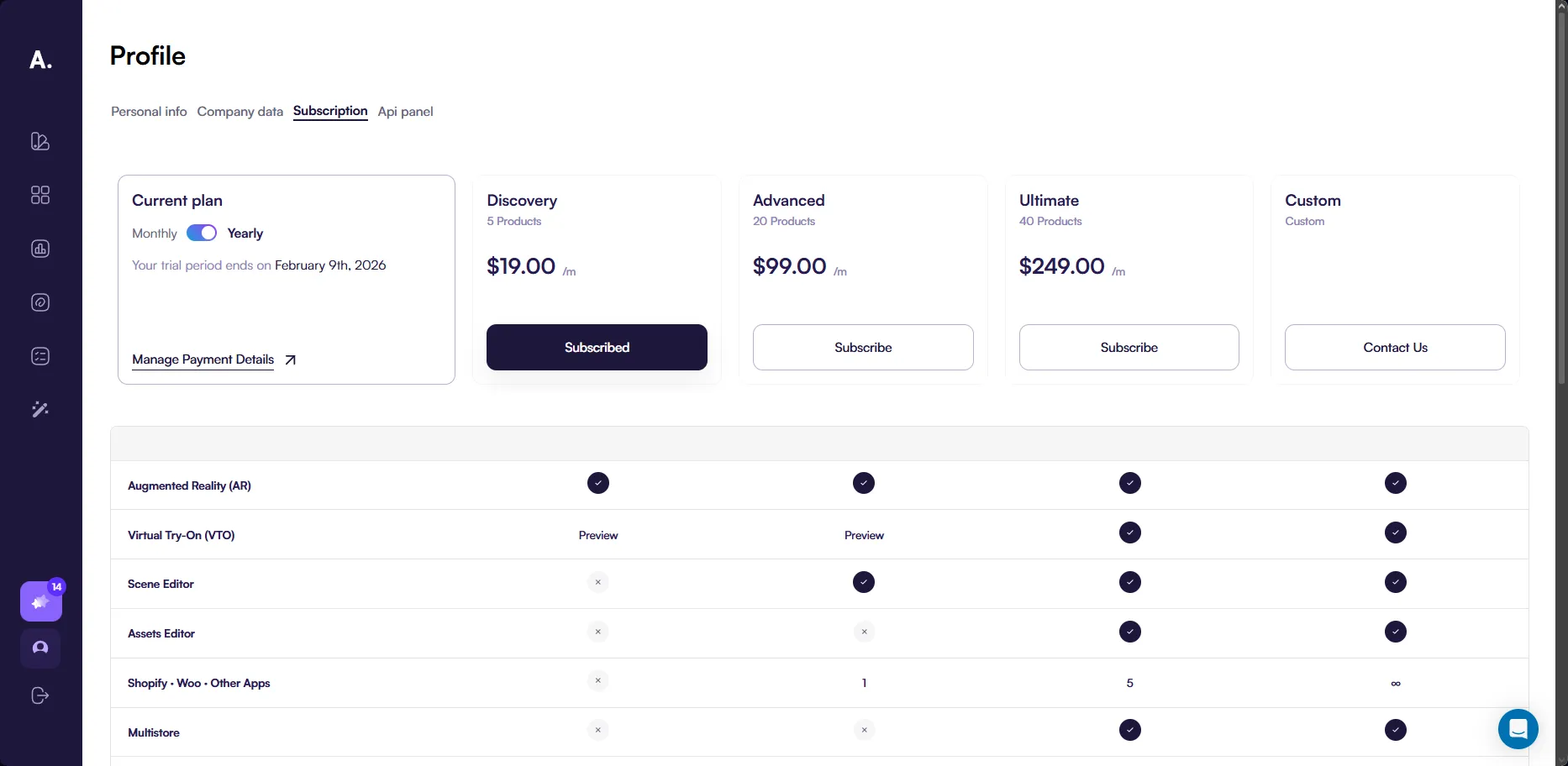
Choose yearly billing to reduce your monthly cost. You pay once per year, and the monthly price shown is lower.
- Discovery: $19/month (billed yearly)
- Advanced: $99/month (billed yearly)
- Ultimate: $249/month (billed yearly)
Custom plan pricing
The Custom plan uses a tailored setup and pricing based on your needs. Click Contact us on the subscription page to email our team and discuss requirements such as custom themes and advanced workflows.
Upgrade and downgrade your subscription
You can change your subscription plan at any time. All plan changes are processed automatically through Stripe.
Upgrade to a higher plan
When you upgrade to a higher plan, the change applies immediately.
- Your access updates right away
- Stripe calculates the price difference based on the remaining time in your current billing period
- You pay only for the remaining days on the new plan
Upgrading never interrupts access to your products or the admin panel.
Downgrade to a lower plan
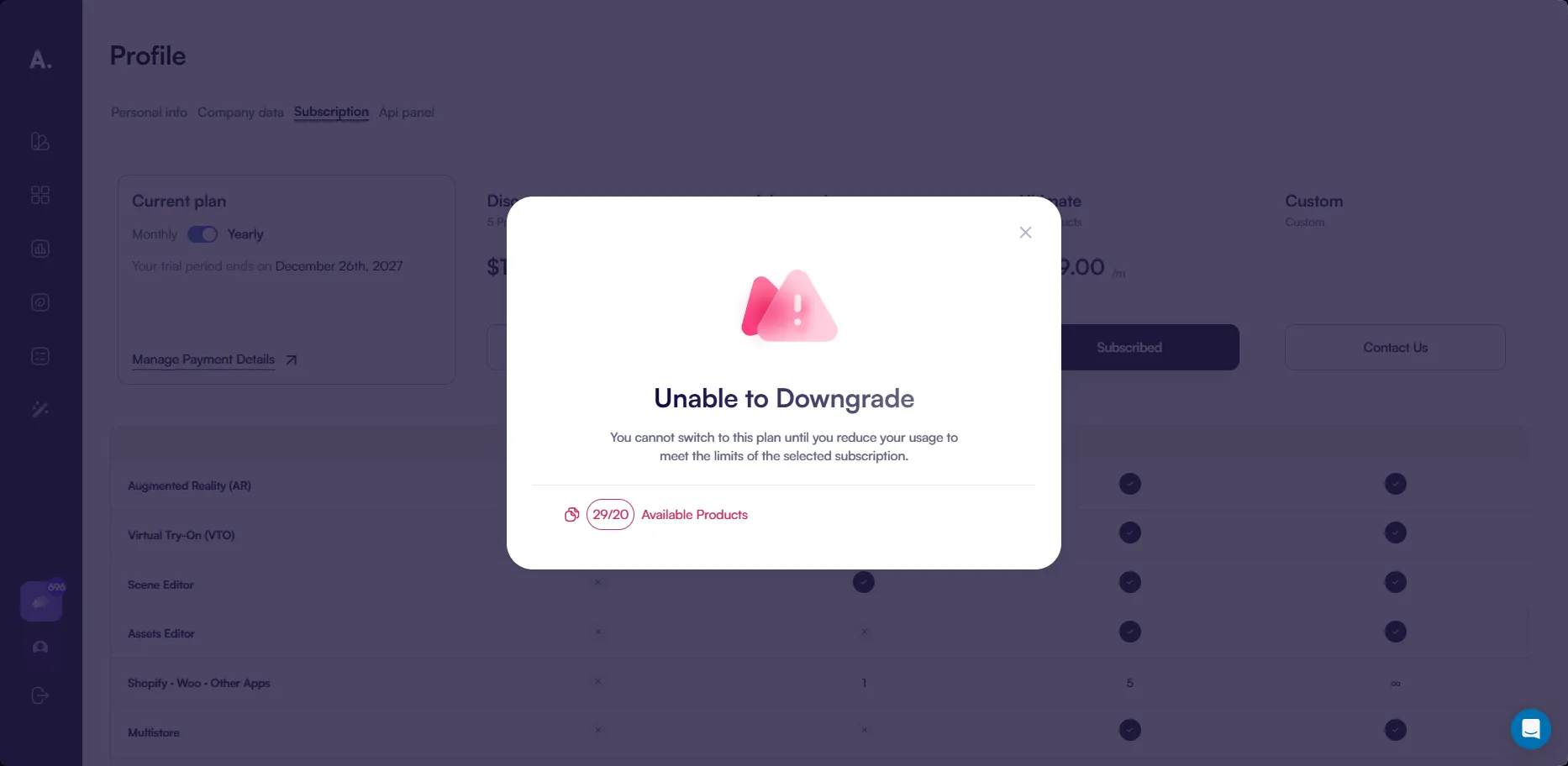
When you downgrade a plan through the Amaspace admin panel, the system checks your current usage against the new plan limits.
If some limits exceed the selected plan, you see a warning before confirming the downgrade. This helps you adjust your setup in advance.
Examples of limits you may need to review:
- Number of published products
- PCOs per product
After confirming the downgrade:
- The new plan becomes active
- If applicable, Stripe applies credits to your account for unused time
- Credits are automatically used for future subscription payments
We recommend downgrading plans from the Amaspace admin panel to avoid unexpected restrictions.
Cancel or resume a subscription
You can cancel or resume your subscription at any time. Cancelling does not remove your data or published products.
Cancel a subscription
When you cancel a subscription:
- The subscription remains active until the end of the current billing period
- You keep full access to your products and the admin panel during this time
- No further charges are made after the period ends
You can cancel your subscription from the Subscription page or through Manage Payment Details.
Resume a subscription
If you previously canceled a subscription, you can resume it at any time.
- Resuming restores full access based on your selected plan
- Billing continues from the moment the subscription is resumed
- No data or products are lost
API panel
Use this page to view your published products and access your API key.
The API panel is available on the profile page:
https://app.amaspace.co/profile?tab=api-panel
Published products
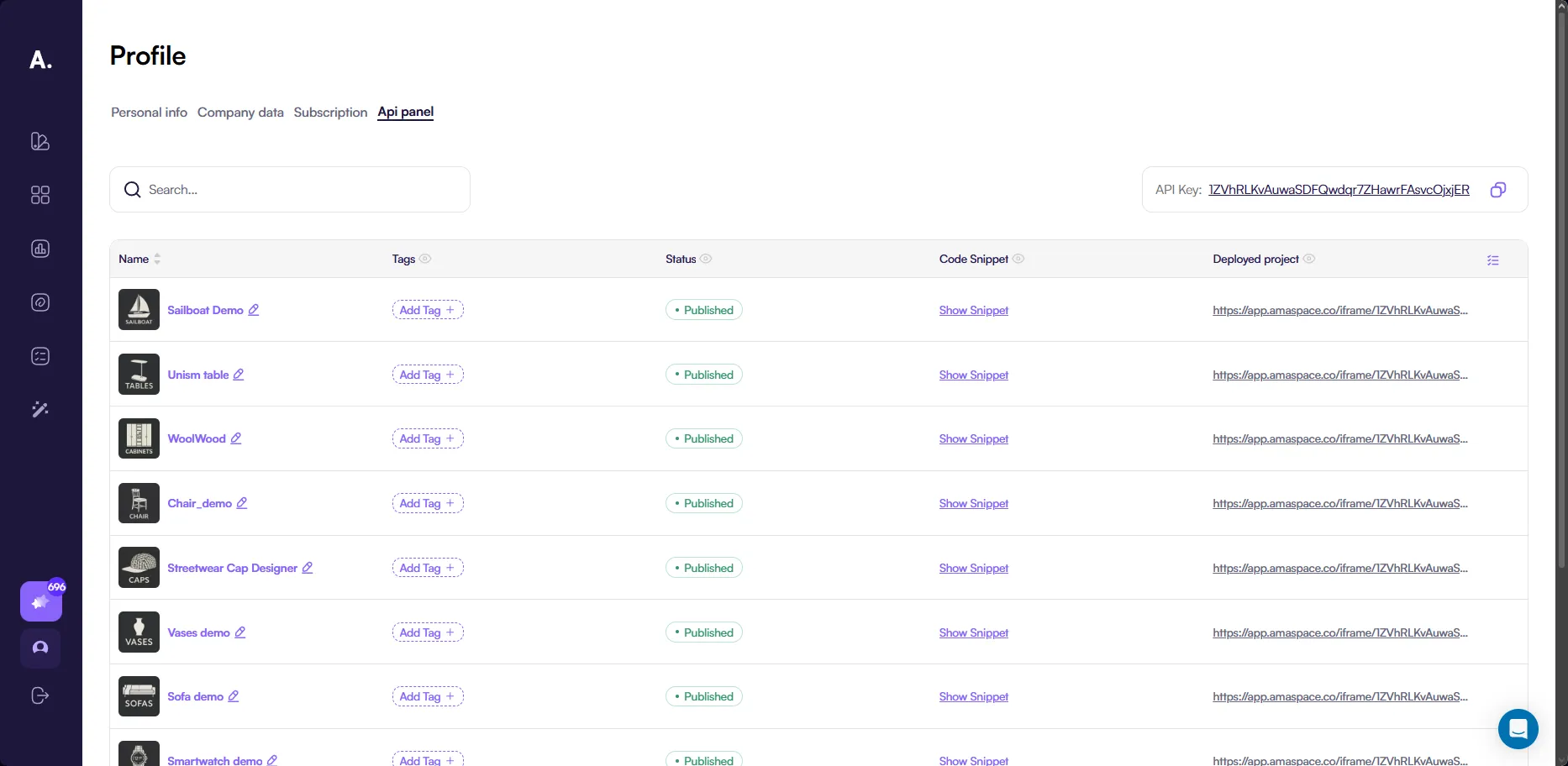
This page shows all products that are currently published and available for use in configurators.
Only published products appear in this list. Draft products are not available here.
Products are displayed in a table with the following columns:
-
Name The name of the published product.
-
Tags Tags assigned to the product.
Use tags to organize products by category, collection, or use case. Tags make it easier to search, filter, and manage products when your catalog grows.
- Status The current product status.
Only products with the Published status appear in this table and are available for configurators.
- Code Snippet Opens a dialog where you can copy the iframe embed code for the configurator.
Use this option to embed the configurator into your website or application.
👉 See Embedding & Custom Implementation to learn more about using embed code.
- Deployed project Opens the live configurator for the selected product.
Use this link to preview the configurator or share it for testing and review.
API key
The API key identifies your account and is used to open configurators for your published products.
On this page, you can view and copy your API key when needed.
You may see this key used in configurator links, for example:
https://app.amaspace.co/iframe/{api_key}?{query_params}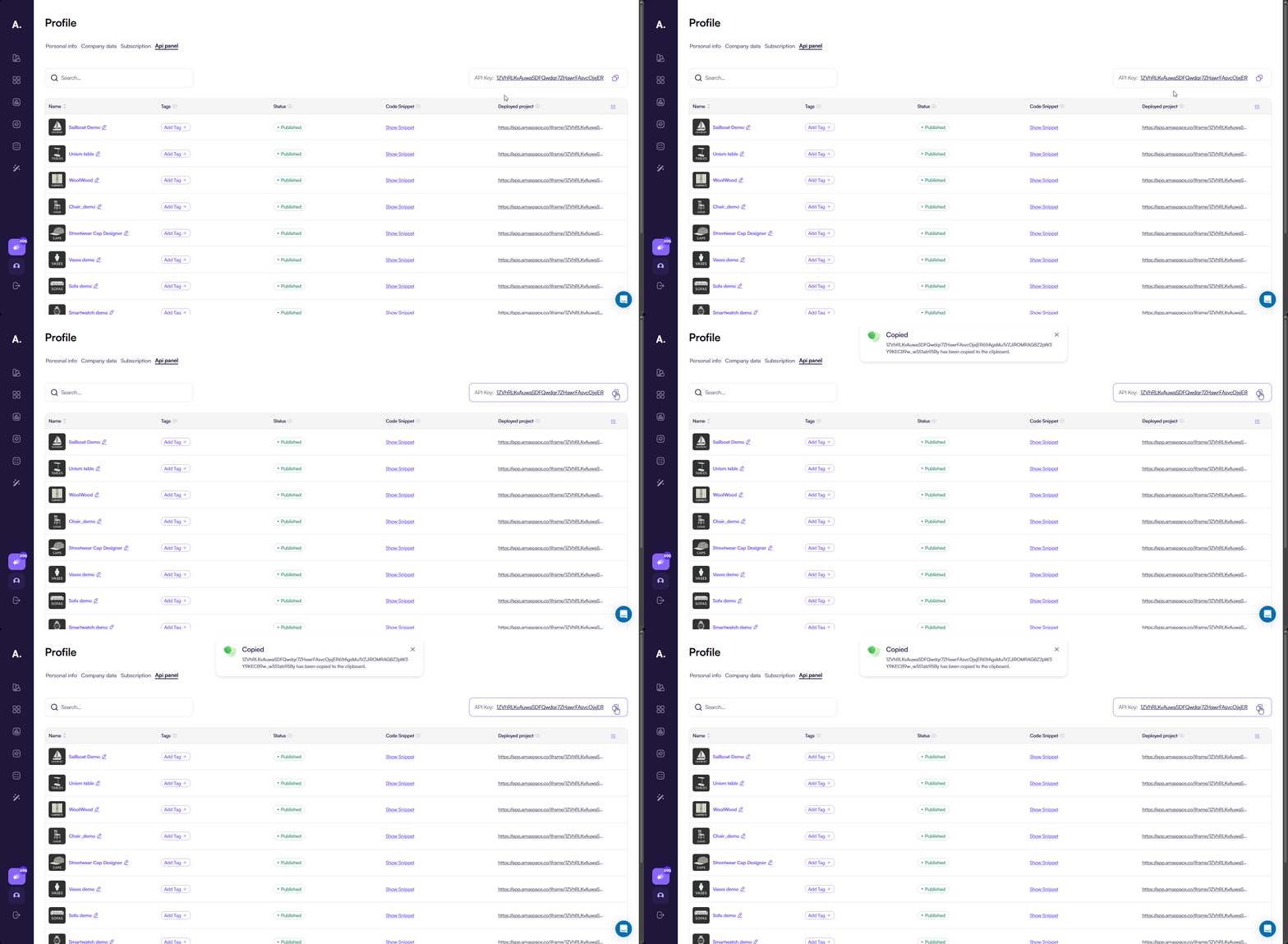
Important notes
- The API key is public
- Access to configurators depends on your active subscription plan
- If your subscription becomes inactive, access may be restricted