Understanding Amaspace
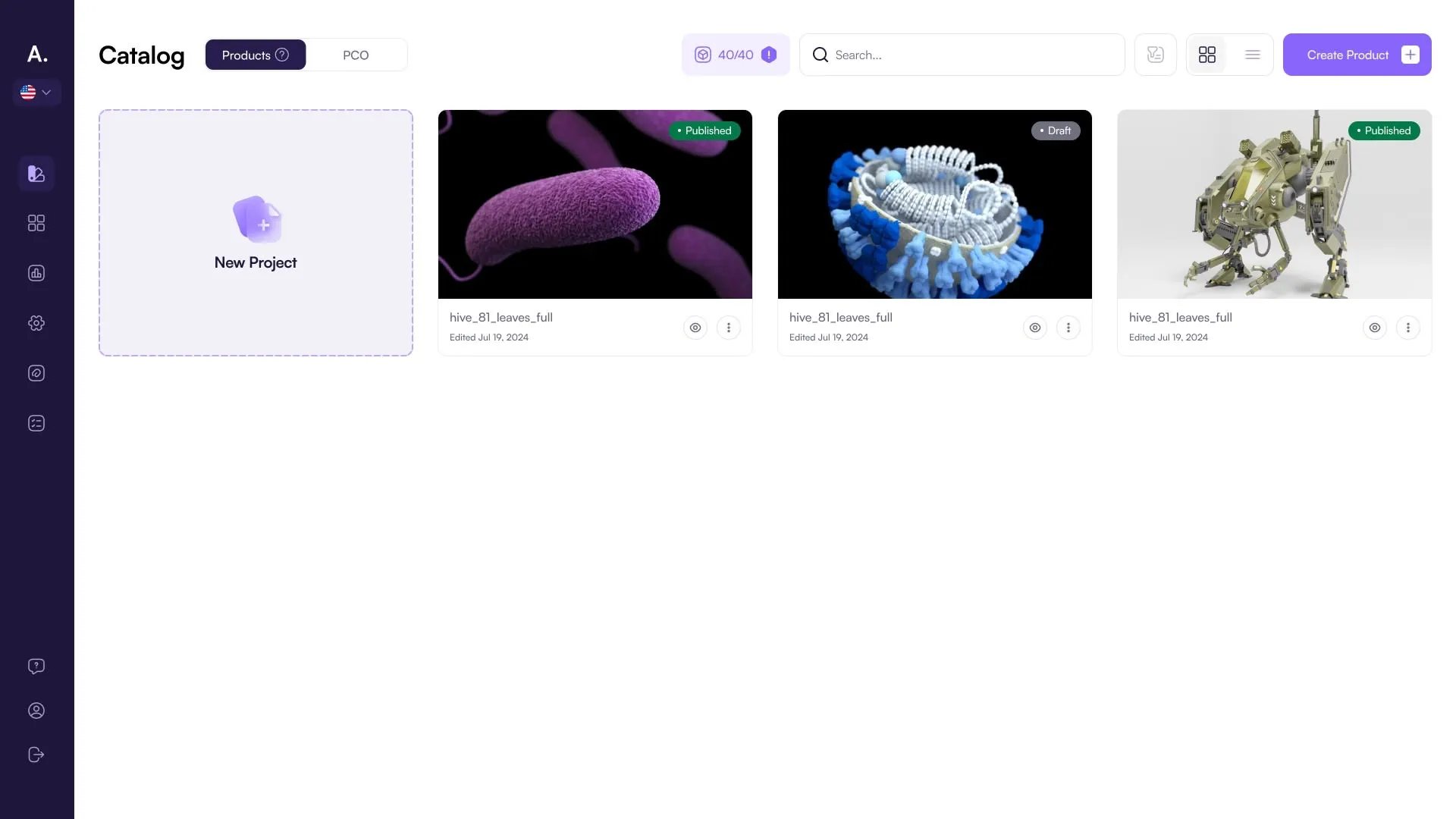
Amaspace is a platform to build, configure, and publish real-time 3D/AR product experiences. Think Catalog + Assets + Editors + Integrations + Publish.
The mental model
Amaspace has 5 core parts:
- Products
- Assets (3D files + materials)
- Editors (how it looks/behaves)
- Integrations (where it lives)
- Publish + Analytics (how it performs)
If you remember one thing: Products reference Assets. Editors control how Products behave. Integrations deliver it to your storefront.
Key objects
Product
A product is the unit you publish. It includes:
- The base 3D model (and/or linked assets)
- Configuration options (what customers can change)
- Scene/layout settings (how it’s presented)
- Publish state (draft vs live)
Assets
Assets are everything used to render your product:
- 3D models (GLB/GLTF)
- Textures / materials
- Swappable parts / accessories (if your configurator supports part swapping)
Rule: Clean assets = fewer bugs. Most “configurator issues” are asset issues.
Options (PCOs)
Amaspace configuration is usually structured like:
- Categories → group options (like folders)
- Attributes → what can be customized (Color, Engine, Package)
- Options / PCOs → the actual clickable choices (Red, V8, Sport Package)
Outcome: Options must be linked to a real change in the 3D model (material change, visibility toggle, part swap, etc.).
Editors
Editors are where you turn a product + assets into a shippable experience.
Typically:
- Product Editor — organizes options and what the customer sees in the UI
- 3D Editor — camera, lighting/environment, scene-level 3D presentation
- Scene / Layout — layout and UI placement (how panels/controls appear)
- Logic / Annotations — interactive behavior and overlays (if enabled)
If an option exists but doesn’t change anything visually, it’s not “configured yet”.
Integrations
Integrations are how you deliver the experience:
- Shopify / WooCommerce (storefront connection)
- Embed (custom website)
- Webhooks (send configured selections to external systems)
Publish
Publishing is the moment your product becomes usable by customers.
- Draft = internal testing
- Published = live (or ready to embed/integrate)
Analytics + Orders
- Analytics tells you usage and engagement (views, interactions, etc.)
- Orders capture what customers configured/bought (if your setup supports it)
Theme Editor
Theme Editor controls the look and feel of the configurator UI:
- Layout constraints (max width, spacing)
- Typography
- Colors
- Buttons
- Corner radius / UI styling
Profile / Subscription / API
This is account-level:
- Your personal profile + company settings
- Subscription plan and billing
- API panel (if available)
How the workflow usually goes
Build
- Create Product
- Upload/attach Assets
- Create Options
- Link options → 3D changes
- Set up scene/camera
Ship
- Preview + test
- Publish
- Integrate (Shopify/Woo/Embed)
Improve
- Watch analytics
- Iterate assets/options/scene
Best practices (keep it simple)
- Start with one product and 3–5 options. Keep it simple for start.
- Name things like customers understand (not internal 3D filenames).
- Keep options predictable: one choice per attribute unless you need multi-select.
- Optimize assets early: performance is a feature, not a nice-to-have.
- Treat Draft as QA: if it’s weird in Preview, it’ll be worse on storefront.