Shadows
Overview
Shadows make your product look grounded (not floating). In Amaspace you have three modes:
- Contact — soft shadow under the object (best default)
- Soft — real falling shadows from a light
- Baked — frozen shadow result for best performance
Location
- 3D Editor → Scene → Shadows (Contact / Soft / Baked)
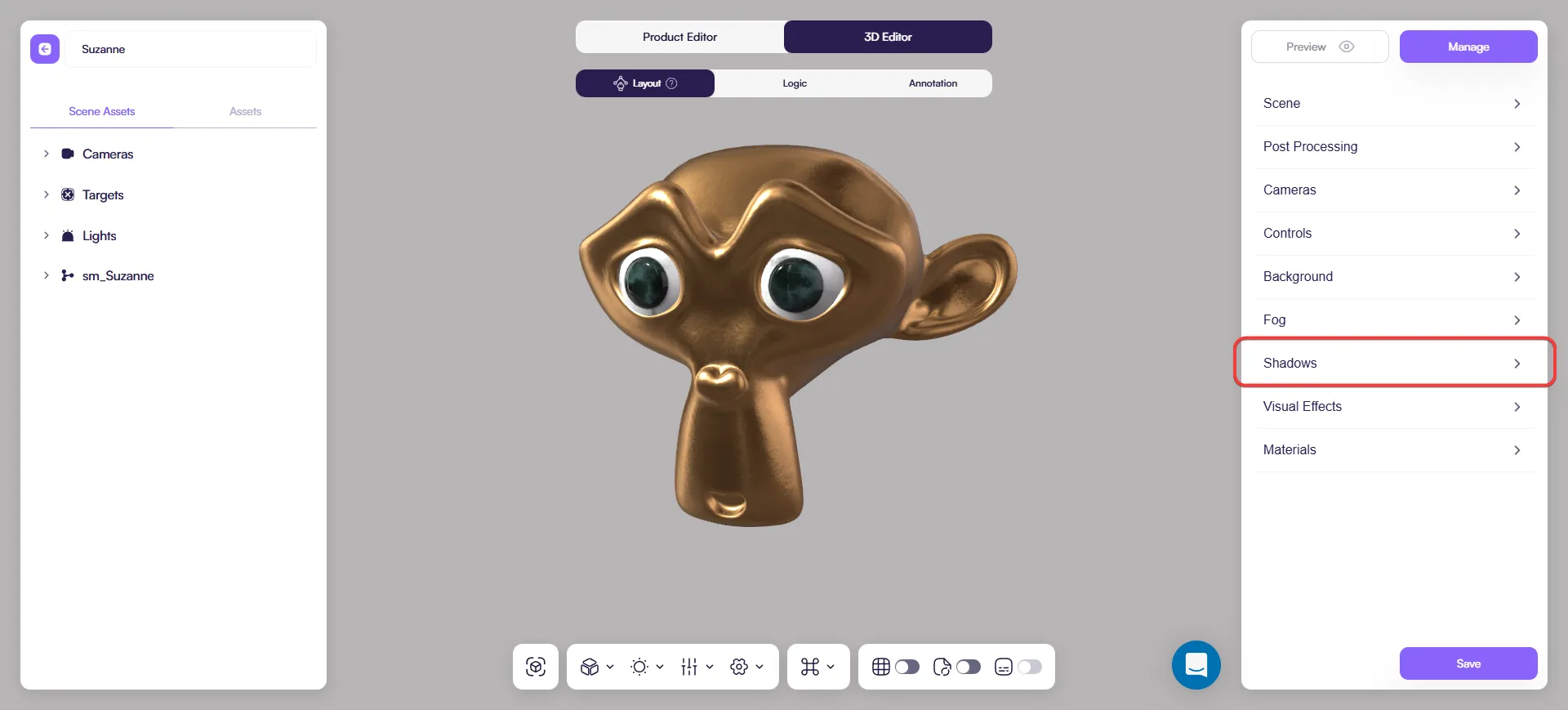
Pick the right mode
- Use Contact for most products: fast, stable, looks good.
- Use Soft when shadows must react to light direction or moving parts.
- Use Baked for mostly static scenes: best performance, but shadows stay fixed.
If you already use a manual shadow decal (a separate plane/material), that’s a great baked-style option.
Contact shadows
Enable
- Open Scene → Shadows.
- Select Effects → contact.
- Turn Enabled on.
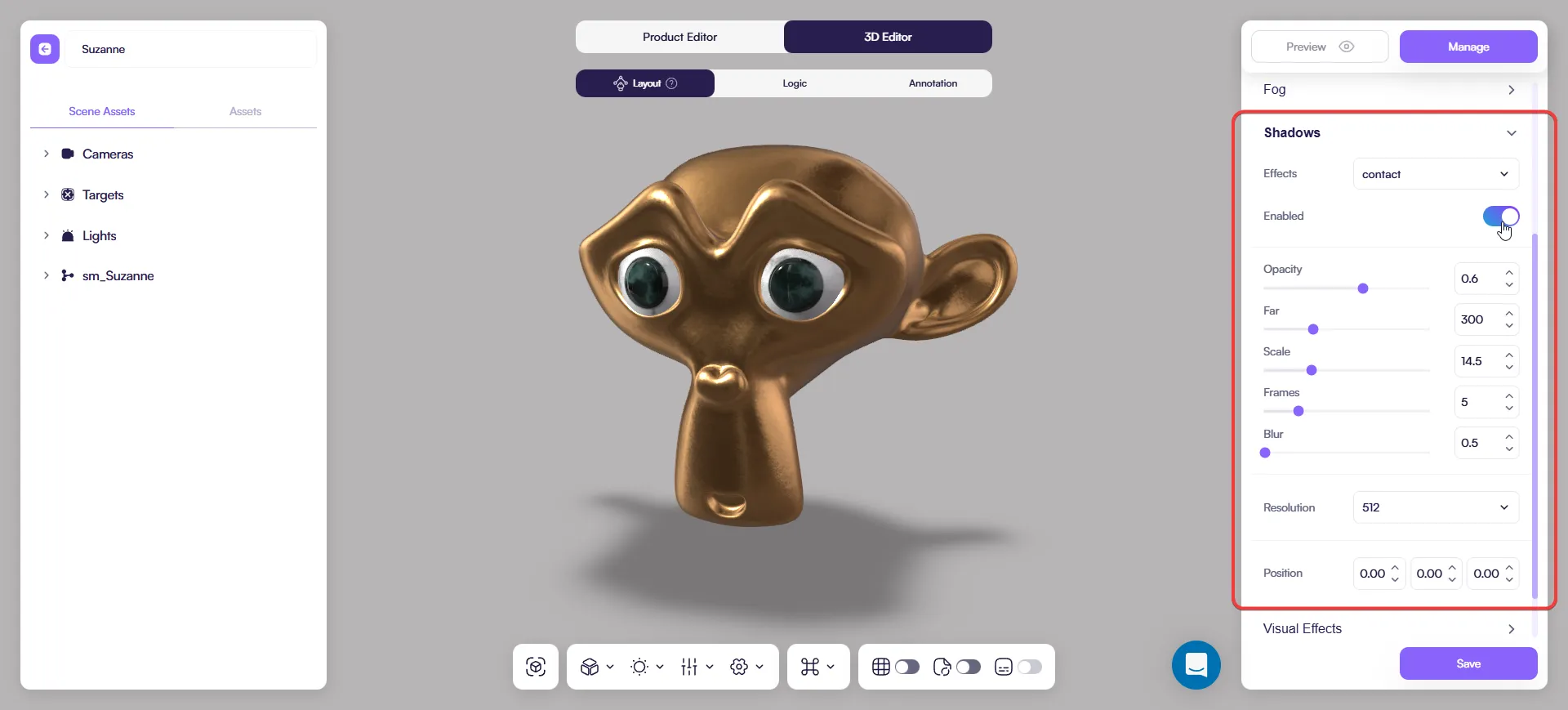
Tune
- Opacity: keep it subtle
- Blur: soften the edge
- Scale + Far: cover only what’s visible in camera
Only if needed:
- Resolution: raise if pixelated
- Frames: raise if flicker/noise
- Position: fix offsets
Soft shadows (blurred cast shadows)
Enable
- On your key light, enable Light → Shadow Cast.
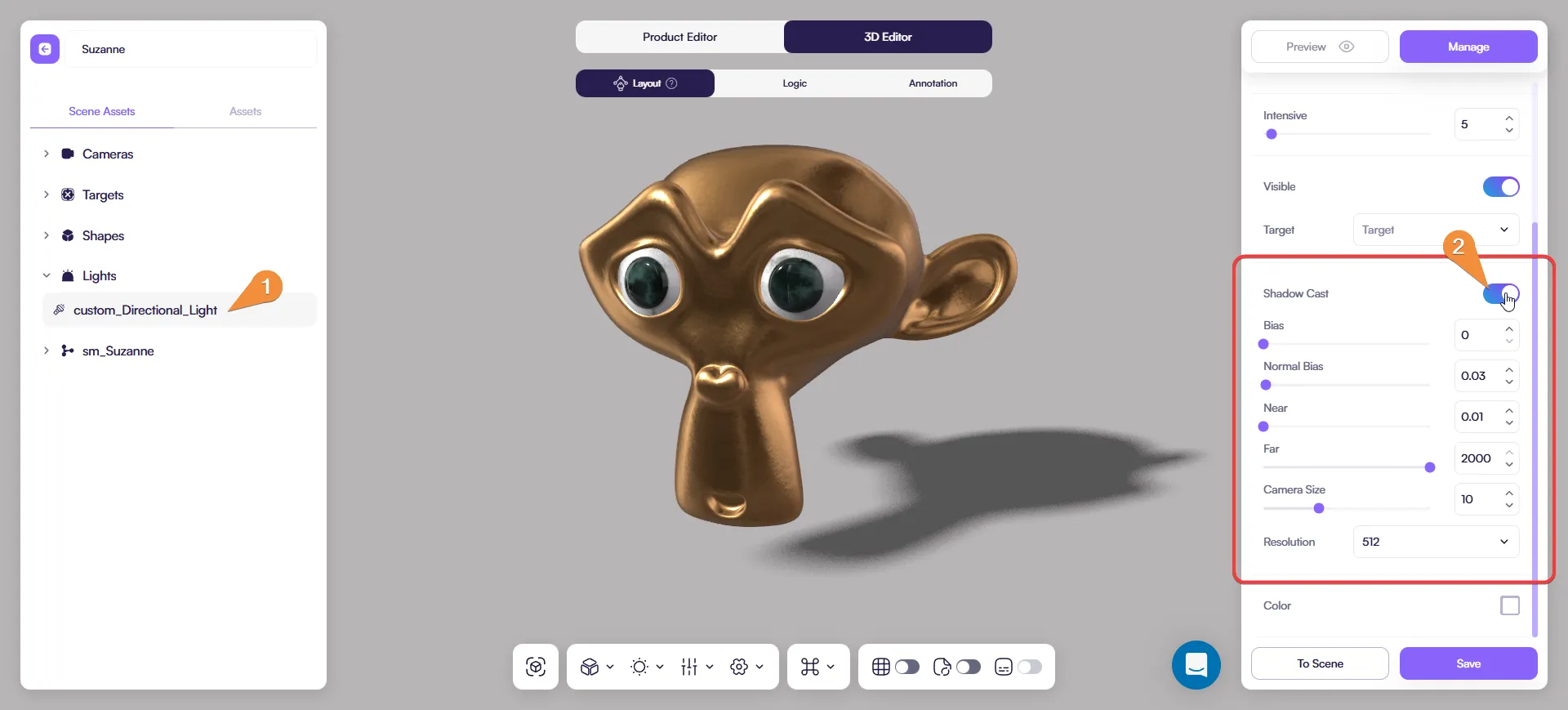
- Select Effects → soft in Scene → Shadows.
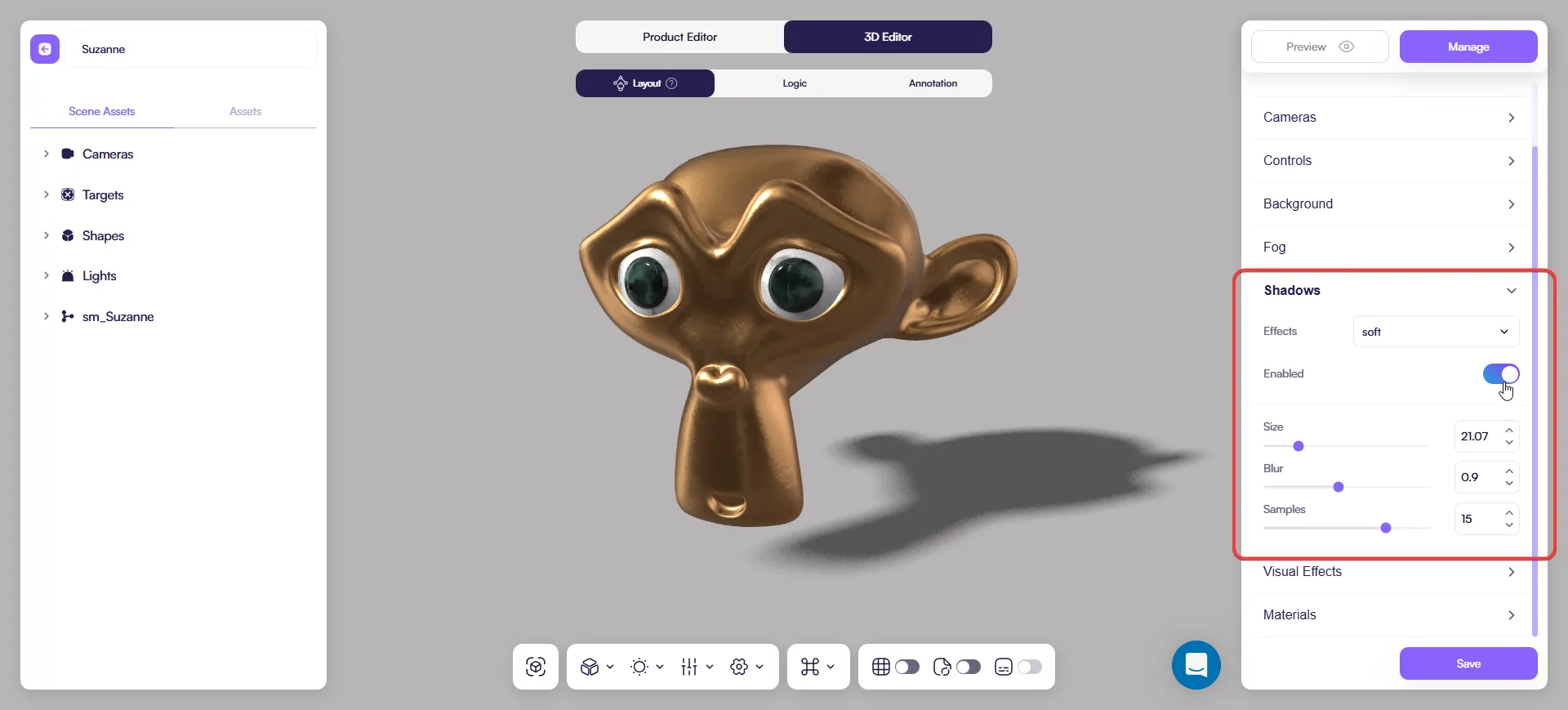
Fix bad-looking shadows
Start with the light settings:
- Tighten Near/Far and Camera Size around the product
- Adjust Bias / Normal Bias if you see artifacts or detached shadows
- Increase Resolution only if quality is clearly too low
Then go back and tune softness.
Baked shadows
Baked works great, but it’s not the only “static shadow” option. If you need full control (or even better performance), consider using your own baked shadow as a decal/ground plane (see above).
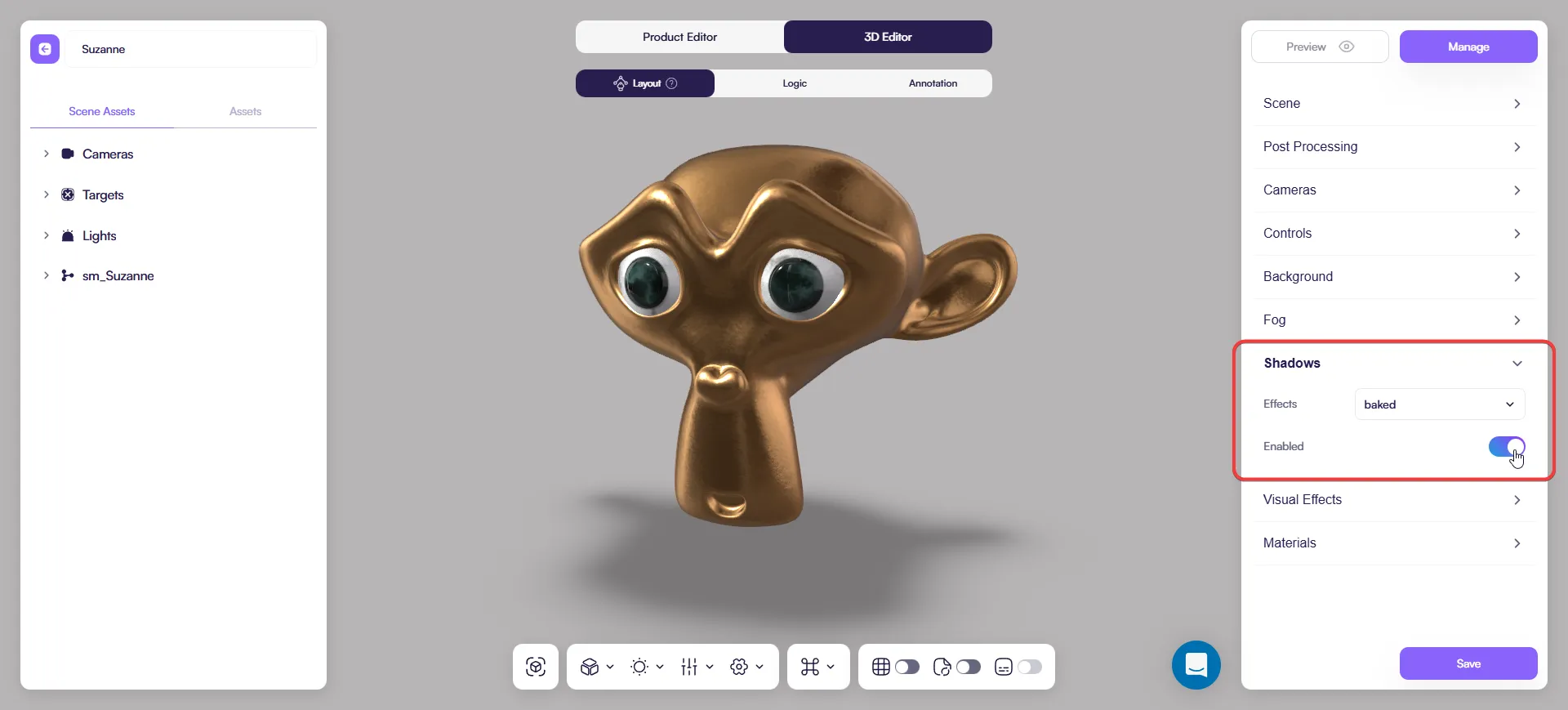
Baked is a “finalize” mode: shadows look clean and run fast, but don’t update until you refresh the baked result.
Enable
- Select Effects → baked.
- Turn Enabled on.
When to enable Baked
Enable Baked after you finish:
- placing the product
- choosing the HDRI/environment
- setting the key light direction
If you change any of these, turn Baked off while editing, then turn it on again to refresh the result.
Common issues
- Sticker shadow → lower Opacity, raise Blur, reduce Scale/Far
- No falling shadows → Shadow Cast is off on the light
- Baked doesn’t update → expected; turn it off and on again to refresh
- Scene gets slow → use Contact, lower Resolution/Frames, keep one shadow-casting light
Best practices
- Use Contact for new scenes
- Use Soft only when it clearly improves the result
- Use Baked (or a decal) before publishing static products (toggle it on as the final step)
- Keep shadows subtle — support the product, don’t distract
You can import a baked shadow decal for maximum performance
If you want the lightest setup (especially for mobile), you can use your own pre-baked shadow as a decal/ground plane:
- Create a simple plane under the product.
- Assign a shadow material/texture (your baked shadow).
- Keep it subtle and match the environment lighting.
This gives you a stable, lightweight shadow without real-time shadow cost.